CN

×

keywords:

xxxx1 xxx2 xxx3 xx4 copy
Shenzhen Meiyad Optoelectronics Co., Ltd. Shenzhen Meiyad Optoelectronics Co., Ltd.

News

News

News

Meiyad

14|07|2026

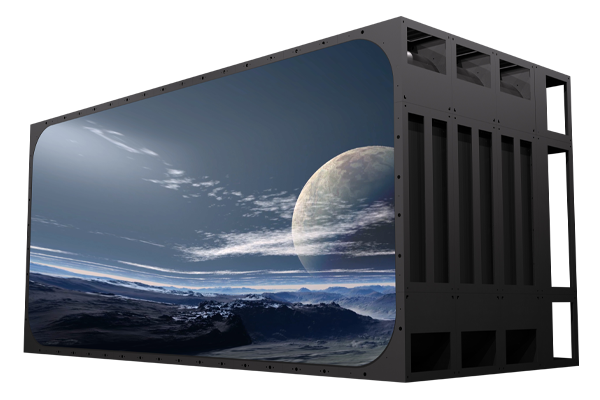
Outdoor LED Display Installation Guide: A Complete Guide to GE500 Series

Installing an outdoor LED display requires more than simply mounting LED cabinets together. A professional installation process directly affects the display’s stability, visual performance, waterproof reliability, and long-term service life.From steel structure preparation and cabinet alignment to electrical testing and maintenance planning, every step plays an important role in ensuring reliable operation in outdoor environments.The GE500 Series outdoor LED display by Meiyad is designed to deliver installation efficiency and long-term performance. Featuring an aluminum profile cabinet design, excellent heat dissipation, multiple pixel pitch options, energy-saving design, and flexible maintenance features, GE500 provides a reliable solution for commercial outdoor display applications.This guide explains the key steps and considerations for outdoor LED display installation, helping installers and project teams better understand the GE500 structure, preparation requirements, and installation process.Safety TipsWarning! Before installing, powering on, operating, or debugging this product, carefully read the safety precautions provided in this section.Warning NoticeEnsuring Safety - Please carefully read and adhere to the following safety instructions:The equipment complies with the standard GB4943.1-2022.The equipment is safe for use in regions at altitudes below 5000 meters.The plug serves as a disconnecting device. The socket-outlet should be installed near the equipment and must be easily accessible.Do not place exposed ignition sources, such as lit candles, on the equipment.Do not use the product in high-temperature or high-humidity environments. Use the product in low-dust areas and avoid direct exposure to sunlight.Do not attempt to modify, repair, or disassemble the product on your own. Improper handling may lead to short circuits, product damage, or even fire. Unauthorized modifications will void the product's warranty.GE500 Product Overview: Designed for Outdoor LED Display ApplicationsExcellent Heat DissipationAluminum profile cabinet and aluminum module chassis provide excellent heat dissipation performance. Contact-type thermal conductive silicone pads improve heat transfer efficiency and accelerate heat dissipation.Aluminum profile heat dissipation is 2× better than die-cast aluminum, Die-cast aluminum is 2× better than sheet metal cabinets.Energy SavingSaves 35% energy compared to conventional screens. Reduces operating costs while maintaining excellent display performance. Supports green and low-carbon applications.Front & Rear Maintenance DesignEasy operation fast installation and maintenance, truly saves time, labor, and effort.Waterproof & DustproofDesigned with waterproof and dust proof structure. Protection level: Front & Rear IP65+. Resistant to rain, wind and dust, suitable for outdoor environments.The series is suitable for applications such as:Outdoor advertising displaysCommercial building facadesPublic information screensLarge-scale digital signage projectsGE500 Technical Parameters You Should Know Before InstallationModelP2.97P3.91P4.81P6.25P7.81P10.42Pixel Pitch (mm)2.973.914.816.257.8110.42Module Size (mm)500*250Module Resolution (dot)168*84128*64104*5280*4064*3248*24Pixel ConfigurationSMD1415SMD1921SMD1921SMD2727SMD2727SMD2727Scan Mode(s)1/211/161/131/51/41/2Refresh Rate (Hz)≥3840Gray Scale (bit)14Brightness (nits)≥4500≥4500≥4500≥6000≥6000≥6000Viewing Angle (°)140/140Cabinet Size (mm)1000*1000*75Cabinet Weight (kg)25Cabinet Resolution (dot)336*336256*256208*208160*160128*12896*96Ingress Protection (IP) RatingIP65Input Voltage110-220V; AC +10%Maintenance MethodFront and rear maintenanceNote:Product images are for reference only. The actual product (including but not limited to appearance, color, and dimensions) may vary slightly. Please refer to the product as specified in the actual order drawings.The specifications and parameters provided in this document are reference values. Some data are obtained from tests conducted in Meiyad's internal laboratory under specific conditions. Actual performance may vary due to differences in product batches, configurations, controller versions, and usage environments.Product Installation PrecautionsWarning: Before installing the steel structure, clearly mark the safety zone and cordon it off. Safety first! Please be sure to read, understand, and comply with all safety instructions.The construction site must implement all necessary safety measures, including the proper use of hard hats, safety harnesses, and safety nets. At the same time, temporary electrical usage regulations must be strictly followed.Precautions for Unpacking and Inspection1) Unpacking and Removing the Display ScreenStep 1: Open the top cover of the wooden case and remove the cabinet.Step 2: Remove the anti-static/moisture-proof plastic bag.Step 3: Open the rear cover of the cabinet and check whether all screws, cables, and power cords are loose or detached.Step 4: Inspect the cabinet for any deformation or damage caused during transportation.2) Installation PrecautionsA: When removing the display cabinet from the wooden case, handle it with care. Ensure a protective layer (e.g., paper or carpet) is laid on the ground to avoid collisions with the display lamp surface during.B: During installation, do not use iron tools/hammers to strike the cabinet or employ rough methods such as kicking.C: If the gap between cabinets is too large during installation, use a hard object to pad and ensure parallelism and verticality (note: the gap between cabinets should be less than 0.1mm).Power Supply System TestNote: (The inspection of the power supply in the distribution cabinet and the cabinet power supply must be performed by qualified electricians.)A. Check for short circuits between the Live (L) wire, Neutral (N) wire, and Ground (FG) wire.B. Check for short circuits between the Neutral (N) wire and the Ground (FG) wire. The resistance value should be ∞.C. Check for short circuits between the receiving card +4.2V power supply and GND (30–50Ω) terminals, Ground (FG) wire, Live (L) wire, and Neutral (N) wire. The resistance value should be ∞.D. Check for short circuits between the receiving board GND, Ground (FG) wire, Live (L) wire, and Neutral (N) wire. The resistance value should be ∞.E. Test for short circuits between the +4.2V output and GND of each power supply. The resistance value should be 30–50Ω.LED Display Installation PrecautionsA. After installation, the display screen must be equipped with lightning protection. A surge protector must be installed at the main power input terminal.B. Never perform live operations on the display screen.C. During the fixation of cabinets, ensure they are securely fastened while avoiding collisions that may cause damage to the product.D. Workers must adopt safety measures during installation (e.g., wearing protective helmets, safety harnesses, etc.).E. When removing control system boards or other equipment, take anti-static precautions (e.g., wearing anti-static gloves).Installation InstructionsA. This product is designed for outdoor use. Store it properly before installation.B. To ensure safety, the product must be installed by professional technicians.C. Before installation, disconnect the power supply and check whether the insulation layer of the power cord is intact.D. Ensure the reliability of the product and the installation structure. Verify that the structure is stable and secure before installation to avoid potential safety hazards.E. During installation, prioritize safety. Ensure the bracket is stable and the installers are safe to prevent potential risks.F. Grounding must be installed to ensure the safety of personnel and equipment.G. Only professional technicians are allowed to perform repairs on this product.Core Points of Cabinet Installation1. Structural Stability and FlatnessA. Benchmark Positioning: First, determine the center point and reference lines of the display screen. Install the cabinets starting from the center and moving outward to ensure overall symmetry.B. Layer-by-Layer Installation: It is recommended to install the cabinets from bottom to top, layer by layer. After completing each layer, check its levelness and alignment with the steel structure.C. Leveling Tools:Use high-precision tools such as magnetic-mounted laser levels to monitor the flatness of the cabinet surface in real time during installation. Avoid relying solely on visual inspection.D. Even Force Distribution:When tightening the cabinet connection screws, adopt the "diagonal tightening" method. Tighten the screws gradually and in multiple stages to ensure even force distribution between the cabinets and the steel structure, as well as between adjacent cabinets. This prevents deformation caused by excessive stress at any single point.Warning: The horizontal and vertical flatness of each cabinet / each layer must be properly adjusted before proceeding to the next step. Poor cabinet flatness may result in noticeable "dark lines" or "bright lines" (gaps) between display modules, severely affecting viewing quality and making subsequent adjustments difficult.2. Waterproof Sealing TreatmentA. Waterproof Gaskets: After the complete installation or maintenance of the screen, inspect the waterproof gaskets on the rear cover of the cabinets for detachment or deformation. If any abnormalities are found, replace the gaskets promptly to prevent internal water damage to the display.B. Backside Waterproofing: For displays with maintenance access at the back or wall-mounted displays, all maintenance doors and decorative structures must be sealed and waterproofed to prevent long-term corrosion of the screen structure or cabinets by rainwater.3. Heat Dissipation and Ventilation AssuranceA. Ventilation Pathways: During installation, ensure that the air intake and exhaust vents designed on the back of the cabinets are not blocked. Maintain clear and unobstructed cooling air channels.B. Cooling Measures: If the display design includes a backside ventilation pathway, ensure air convection within the channel. Avoid installing the cabinets directly against airtight walls, and leave sufficient space for heat dissipation. Depending on the ambient temperature, additional convection fans or air conditioning may be installed to enhance cooling.Post-Installation Inspection and TestingWarning: After the installation of the display screen is completed and all cables are connected, a comprehensive cable test and inspection must be performed before powering on the system.A. Physical Structure Re-inspection: After the installation of the steel structure and cabinets, recheck all screws to ensure they are properly tightened and verify the stability of all welding points.。B. Waterproofing Review: Carefully inspect all sealed areas to ensure the application is complete, with no missed or interrupted sections.。C. Insulation and Short Circuit Test: Use a multimeter to measure the power input terminals and ensure no short circuits are present.。D. Power-On Test: After supplying power, check whether the cabinet power supply is functioning normally and confirm that all power indicators are lit. (This must be done immediately after powering on to promptly identify any abnormal circuits and prevent potential equipment damage.)E. Troubleshooting: After debugging, display white, red, green, and blue colors on the LED screen to test for any damaged or malfunctioning modules. Replace or repair faulty modules as necessary.Installation Accessories and ToolsGE500 Cabinet / Module IntroductionProduct DimensionsThe GE500 cabinet measures 1000mm in width, 1000mm in height, and approximately 99mm in thickness.The module kit is manufactured using die-cast aluminum integrated molding, with dimensions of 500mm in width, 250mm in height, and 24.15mm in thickness.Each cabinet is arranged with 2 modules in width and 4 modules in height, totaling 8 modules to form a complete cabinet unit.Cabinet / Module Function IntroductionRear View of CabinetCabinet Exploded ViewRear View of ModuleFront View of ModuleStep-by-Step GE500 Outdoor LED Display Installation ProcessSteel Structure InstallationWarning: Before installing the steel structure, clearly mark the safety zone and cordon it off. Safety first! Please be sure to read, understand, and comply with all safety instructions.The construction site must implement all necessary safety measures, including the proper use of hard hats, safety harnesses, safety nets, fire extinguishers, fire blankets, etc. At the same time, temporary electrical usage regulations must be strictly followed.The GE500 series products support both front and rear installation methods, with some structural and accessory variations.The GE500 series is typically applied in front-installation wall-mounted setups. Meiyadi can provide customers with steel structure installation drawings.1. Site SurveyThe pre-sales engineer assesses the installation environment to determine the installation method, screen steel structure dimensions, and fixation approach.2. Data Compilation & Drawing PreparationCollate on-site measurement data and customer/user requirements, and provide them to the pre-sales engineer for generating steel structure drawings.3. Steel Structure FabricationFabricate and weld the steel structure according to the drawings, using embedded steel plates for integration.4. Steel Structure FixationSecure the steel structure to the wall using embedded steel plates or expansion bolts as specified in the drawings.5. Dimensional VerificationAfter steel structure installation, use a level or measuring tape to verify dimensions and positioning. Confirm accuracy before proceeding with cabinet installation.Important Notice:The drawings provided by our authorized engineers are for reference only if they have not conducted an on-site survey. Installation personnel must determine the appropriate types and quantities of fixing components based on the actual installation environment.Cabinet Installation (Front Installation Method)1. First Layer Cabinet Installation: Start from the center of the screen to install the first cabinet.2. Install cabinets incrementally to the left and right, using cabinet quick locks to secure the cabinets. Simultaneously, adjust the horizontal and vertical alignment at the junction of the two cabinets.Use cabinet connecting plates and bolts ①② to secure the two cabinets to the structure. (Place the connecting plate on the back of the square tube aligned with the holes, then insert the bolts from the front of the cabinet and tighten them into the connecting plate to lock the cabinets in place.)Conclusion: Professional Installation Ensures Long-Term GE500 PerformanceInstalling an outdoor LED display requires careful planning, accurate assembly, and professional testing.From product preparation and cabinet installation to waterproof protection and final inspection, every step contributes to the reliability of the finished display system.With its lightweight cabinet structure, modular design, efficient heat dissipation, and maintenance-friendly features, the GE500 Series by Meiyad provides an installation-efficient solution for outdoor commercial LED display applications.By following professional installation procedures, businesses and project teams can maximize display performance, reduce maintenance challenges, and ensure stable operation throughout the product lifecycle.

Meiyad

06|07|2026

Four-Sided Immersive LED Installation at FM Global Centre, Singapore

Meiyad has delivered a four-sided immersive LED display project for FM Global Centre in Singapore, creating a fully integrated digital environment through P1.8 XC COB LED screen technology.The installation is composed of front, left, right, and ceiling LED surfaces, forming a complete spatial visual system that enhances architectural depth and digital interaction.The front screen measures 6600*3037.5 mm, serving as the main visual focus of the space. The left and right screens, each sized at 3000*3075.5 mm, extend the visual continuity on both sides. The ceiling screen measures 5400*2362.5 mm, completing the top enclosure and strengthening the immersive experience.Built with XC 1.8 COB LED panels, the system ensures stable performance, precise image expression, and reliable operation for long-term use in high-end commercial environments.This project demonstrates Meiyad’s capability in delivering complex multi-surface LED solutions that combine structural precision with immersive visual design, redefining how digital content integrates with architectural space.

Meiyad

11|06|2026

Flying & Dome Theaters Transformed by Meiyad Acoustically Transparent Cinema LED Display Solution

What is an Acoustically Transparent Cinema LED Display?Difference Between Standard LED Displays and Acoustically Transparent LED DisplaysTraditional LED screens block sound and may cause echo in dome theaters.Acoustically transparent LED screens use micro-hole design to let sound pass through while keeping excellent image quality. Suitable for: flight cinemas, science museums, cinemas, dome theaters and planetariums.Sound Transparency Beyond Flat ScreensSound transparency is the core technology of dome screens, solving on-site echo issues.What are the technical advantages of acoustically transparent cinema LED screens compared to traditional cinema screens?High Brightness: LED self-illumination, far brighter than projectors.High Contrast: Clearer image layers, enhanced color performance.High Uniformity: Consistent visual quality, stronger immersion.HDR: Only LED cinema screens support DCI-standard HDR.High Grayscale: Smoother color transitions, better shadow details.Wide Viewing Angle: Optimal viewing experience.Anti-Interference: Immune to sunlight and ambient light interference (unlike traditional screens).Modular Design: Modular structure for easy installation and maintenance.Long Lifespan: Reliable LED chips, no periodic light source replacement required.No Projection Room Required: Self-emissive screen eliminates the need for a projection room, boosting profit margins.Transparent Acoustic Cinema LED Screen vs DLP Cinema ScreenParameter ComparisonAcoustically Transparent Cinema LED ScreenDLP Cinema + Silver ScreenPeak BrightnessBright: 300nit (88fL)Dark: 30~100nit (10~42fL)Screen Black LevelPure Black: Absolute”0”Not Black Enough: 0.030nitReflectivity"Black Screen": 10% (Gain 0.1) "White Screen": 240% (Gain 2.4)Minimum Gray-Level BrightnessHDR: 0.005nitSDR: 0.010nitOverall Contrast RatioTransparent Image: 60000:1Non-transparent Image: 2000:1Diffusion Angle/UniformityPerfect Uniformity: 160°Uneven Image: <50°Tips: Traditional high-end cinema screens can only achieve the DCI-SDR standard, while only LED cinema screens can achieve the higher DCI-HDR standard.Features of Acoustically Transparent Cinema LED ScreenMIP LEDs (Optional)For conventional cinemas, 300 nits brightness is sufficient.For daily indoor non-cinema applications, MIP LEDs are recommended (with brightness ranging from 650 to 850 nits).Standard Module Sizes & CustomizationThe standard module size is 320 x 160mm, with support for customized dimension designs to meet different project requirements.Customized Sound-Transparent Module for Dome ScreensAluminum Profile CNC Process CabinetThe cabinet is precision-manufactured using CNC technology, ensuring ultra-high flatness. Its unique structural design delivers excellent heat dissipation performance, guaranteeing stable equipment operation.High Dynamic Range (HDR) TechnologySupports high dynamic range, high color depth, and wide color gamut, restoring colors as they are and delivering a more realistic visual experience.120Hz 3D Display TechnologyAcoustically Transparent LED Screen Open-Area Ratio Calculation (Current Version)P2.5 Acoustically Transparent LED DisplayModule: M-P2.5-22S(1010)-128X64-V1.0Hole Diameter: 1.5mmSingle Hole Area: 1.7672 mm²Total Holes: 3330 pcsTransparency: 1.7672*3330/320/160≈11.5%P3.33 Acoustically Transparent LED DisplayModule: M-P3.33-16S(1010)-96X48-V1.2Hole Diameter: 2.18mmSingle Hole Area: 3.7325 mm²Total Holes: 1716 pcsTransparency: 3.7325*1716/320/160≈12.51%P3.07 Dome Acoustically Transparent DisplayModule: M-P3(1515)-26s50x104-1.0Hole Diameter: 1.3mmSingle Hole Area: 1.3273 mm²Total Holes: 4150 pcsTransparency: 1.3273*4150/318/153.4≈19.45%P3.1 Dome Acoustically Transparent DisplayModule:M-P3.1-(1010)26S-90X156-282.42X485.77mm-V1.0 UC1-T1Hole Diameter: 1.25mmSingle Hole Area: 4.8079 mm²Total Holes: 5213pcsTransparency: 4.8079*5213/485.77/282.25≈18.23%P3.91 Dome Acoustically Transparent DisplayModule:m-p3.91(1010)-21s31x119-(u20)Hole Diameter: 2.55mmSingle Hole Area: 5.1071 mm²Total Holes: 1767pcsTransparency: 5.1071*1767/54744≈16.5%Technical Specifications of Acoustically Transparent LED ScreensStandard Acoustically Transparent LED DisplayStandard Acoustically Transparent LED DisplayModelP2.5P3.33Pixel pitch2.5mm3.33mmPixel Density(Pixles/㎡)16000090099Module Size320*160mm320*160mmDisplay SizeCustomizedCustomizedCustomization and dome screen development are supportedAcoustically Transparent Dome LED ScreenSpherical Dome Acoustically TransparentModelP2.82P3P4Pixel pitch2.82mm3mm4mmPixel Density(Pixles/㎡)12574811111162500Module Size500*250mm WithinDisplay SizeCustomizedØ25mØ17mApplications of Acoustically Transparent LED DisplaysFlight CinemasScience MuseumsCinemasDome TheatersPlanetariumsConclusionMeiyad’s acoustically transparent cinema LED solution is transforming the experience of flying theaters and dome theaters. By combining high brightness, ultra-clear resolution, and sound-permeable technology, it overcomes the limitations of traditional screens, delivering a more immersive, dynamic, and interactive visual experience. This innovative solution also offers greater flexibility in theater design, supporting customized content and spatial layouts, making every screening a unique sensory journey.

Meiyad

22|05|2026

Meiyad Continues to Shine on Day 2 of SEAMEX 2026 in Malaysia

Today marks the second day of SEAMEX 2026 in Malaysia, and Meiyad continues to attract strong attention from visitors, partners, and industry professionals across Southeast Asia.At Booth A033, Meiyad is showcasing a wide range of innovative LED display solutions, including the high-end SK Rental LED Screen, COB LED displays, SMD LED displays, and GOB LED display technologies. These products demonstrate Meiyad’s professional capabilities in stage rental, commercial display, cultural tourism, and immersive audiovisual applications.Throughout the exhibition, Meiyad’s booth has welcomed many customers and industry partners who showed great interest in the outstanding visual performance, seamless display quality, and creative customization solutions of our LED displays. The event also provides an important platform for Meiyad to strengthen cooperation with Southeast Asian clients and further expand our presence in the regional market.As SEAMEX 2026 enters its final day tomorrow, Meiyad warmly welcomes more visitors to Booth A033 to explore our latest LED display technologies and discuss future cooperation opportunities.We sincerely appreciate the support and trust from all customers, partners, and visitors, and we look forward to creating more innovative audiovisual experiences together.Exhibition: SEAMEX 2026Booth: A033Location: Borneo Convention Centre Kuching, Malaysia

Meiyad

20|05|2026

LED Display Screen Software Installation and Debugging Tutorial

Software Installation, Login & Screen ConfigurationDownload & InstallationOfficial website download:Visit NovaStar official website(www.novastar-led.cn or https://www.novastar.tech) → Support → Software Download, and download the latest version of NovaLCT (recommended v5.5.0 or above).Installation steps:I. Double-click the installation package.II. Use the default installation path.III. Complete installation.IIII. Disable antivirus software temporarily to avoid accidental blockingDevice ConnectionSynchronous System (Direct Network Cable Connection)Step 1: PC → Sending Card: Connect directly via USB cable; or Connect through the same LAN using network cable. (Default IP range: 192.168.0.xxx / 192.168.1.xxx)Step 2: Sending Card → Receiving Card: Cascade via network cables. Receiving card connects to the LED screen HUB board.Asynchronous System (WiFi Direct Connection)Step 1: Connect PC/mobile phone to the player box WiFi (Default SSID: AP + last 8 digits of SN, Password can be found on the device label); or connect through the same LAN.Step 2: Connect the player box to the HUB board (receiving card) and power on.Software LoginStep 1: Open NovaLCT,Click Login→Advanced Synchronous Login,Default password:666 or admin.Step 2: Successful connection message: "Control System 1, No Display Screen"; If connection fails, check wiring and check power supply.Smart ConfigurationStep 1: After login, enter Screen Configuration → Smart Settings.Step 2: Select Chip model, Decoding method, Module size (e.g. 172x86), click Next stepStep 3: Follow the screen instructions: Bright line direction→Color matching→Pixel-by-pixel calibration, generate configuration file (.scfg).Step 4: Click Send to apply parameters to the receiving card.Manual ConfigurationStep 1: Receiving Card Parameters: Enter Receiving Card → Port Configuration → Set width, height, number of data groups, and scan mode (e.g. 1/32 scan).Step 2: Sending Card Resolution: Enter Sending Card → Output Resolution → Enter actual screen resolution (e.g. 1920×1080) → Enable scaling → Click Send.Step 3: Load Configuration File: Supports local (.scfg/.zip) or cloud configuration files. Allows quick parameter reuse. [__LINK_ICON].Program Creation & Publishing (Asynchronous System)Pingjl Installation & OperationStep 1: Download Pingjl from the official website. Double-click the installation file and follow the Pingjl. After first launch, select "Asynchronous Playback" mode. Click "Start Now".Step 2: Open Pingjl and add devices: (Search LAN/WiFi devices, Default password: admin).Step 3: Create a new program: Program Management → New Program. Set resolution matching the screen.Step 4: Add media: Support Add media, Videos (MP4/AVI), Text, Clock, Weather forecast.Step 5: Edit attributes: Playback duration, Transition effects, Loop mode, Multi-layer overlay supported.Program PublishingStep 1: Select the program→Click Publish→Select target terminal→Confirm sending.Step 2: After successful publishing, the player box automatically loads and plays the program. If publishing fails, check network connection→Check device storage.Device Management, Maintenance & Firmware UpgradeFirmware UpgradeEnter Program Upgrade→Connect to the Internet, Select cloud upgrade, Choose corresponding sending card / receiving card firmware, Wait for completion, Do not power off during upgrade.Offline Upgrade:Import local firmware package (.bin), batch upgrade devices:Step 1: Login through "Login → Advanced Synchronous Login",enter password admin or 666. (For asynchronous products (JT/TB series), select Media Player Login)Step 2: Type "admin"or "666888" on the main interface.Step 3: Select communication port. If you need to reconnect the sending card, click "Reconnect".Step 4: Select the range to view, click "Refresh" to view the current software version of the hardware.Refresh All: View all sending/receiving card versions.Specified Refresh: View the software versions of the specified sending and receiving cards.PS: Simply click "Refresh All" on the screen to view the receriving card model and firmware version.Identifying Driver & Decoder Chips:Please refer to the information on the back of the module or on the packaging (you may also contact the relevant project manager for confirmation)Check IC markings on the back of the moduleObtain information according to the correct configuration file provided by the manufacturer:Step 1: In the "Screen Configuration" dialog box on the main LCT interface, select the "Receiving Card" tab.Step 2: Load the correct configuration file provided by the screen manufacturer from the local computer:a. Click "Load from Local";b. Select the configuration file and click "Open";c. After the file is successfully loaded, click "OK".Step 3: Click "View Cabinet" to check the information in the pop-up dialog box.Obtain the Corresponding Correct Firmware Program:You can directly access the public resources through the following links:Novastar Database http://gts.novastar.tech:6150/sharing/oLGDYny5ENovastar Overseas Database http://gts.novastar.tech:6150/sharing/CZRitU08hStep 1: Directly access the Nova database mentioned above.Step 2: From the homepage, follow the path:"Firmware Program > Receiving Card”to enter the receiving card model classification page.Step 3: According to the Nova receiving card model confirmed above, enter the corresponding receiving card page. The following examples use DH-LCE7516 / FS-LCE7516 / MRV416.Step 4: According to the confirmed driver IC and decoder IC used on the module, search for the corresponding firmware in the order of 1, 2, 3, and 5.(Option 4 is firmware for the 99-series chips, and 99-series chips can be searched directly.)OverviewUsing the example above, each folder contains the corresponding firmware and descriptions of the supported chips. You can check the descriptions to identify the driver IC and decoder IC used on your module, and then determine which firmware should be used.Based on the confirmed Nova receiving card model and the driver/decoder ICs used on the LED module, you can find the correct corresponding firmware.Screen MonitoringMonitoring → Device Status:Check temperature, voltage, network cable connection, signal source, and abnormal alarm notifications.Preset Screen: Tools → Preset Screen SettingsSet the display image when the signal is lost or disconnected (such as black screen or fixed logo).TroubleshootingUnable to connect to the deviceCheck USB/network cable, power supply, and IP segment; disable the firewall.Screen garbled/flickeringVerify receiving card parameters, network cable quality, and HUB board (receiving card) wiring; resend the configuration.Program playback abnormalCheck media format and resolution compatibility; restart the player box or republish the program.

Meiyad

23|03|2026

Worldwide Distributors Wanted | Partner with Meiyad

Are you looking to expand your business in the fast-growing LED display industry? Meiyad is now inviting global distributors and strategic partners to join us in delivering cutting-edge LED display solutions worldwide.With over 15 years of expertise and a strong global presence, Meiyad is committed to building long-term, win-win partnerships by offering reliable products, competitive pricing, and full-service support.Why Partner with Meiyad?Strong Manufacturing CapabilityMeiyad operates four advanced production bases, with a total workshop area of 360,000㎡ and an annual output of 20 million modules. This ensures stable supply, fast delivery, and consistent product quality for our partners.Established Brand & Global NetworkWith 15+ years of professional experience in LED display manufacturing, Meiyad has built a solid reputation in the industry.Coverage across 31 provinces and regions in the domestic market300+ domestic distributors and service partners10+ international agents worldwideWe are continuously expanding and welcome you to be part of our global network.Complete Product PortfolioWe offer a comprehensive range of LED display solutions to meet diverse market demands:Flexible LED screensCustomized creative LED displaysLED display modulesFine pitch LED displaysFixed indoor & outdoor LED screensTransparent LED screensRental LED screensAll-in-one conference LED displaysWhatever your market needs, Meiyad has the right solution.Competitive Pricing AdvantageWe provide high-quality products at competitive prices, empowering our distributors to stay ahead in the market, increase profitability, and grow their business globally.Integrated Industrial ChainOur vertically integrated production system includes:LED packagingPCB manufacturingModule productionInjection moldingThis ensures strict quality control, cost efficiency, and stable supply capacity.Advanced Digital FactoryMeiyad adopts a V4.0 industrial automation system with fully automated production lines, delivering:High production efficiencyConsistent product qualityReliable large-scale manufacturing capabilityComprehensive After-sales SupportWe provide end-to-end service to support your business:Pre-sales consultationSales supportAfter-sales service24/7 technical support hotlineOur professional team is always ready to assist you.Join Meiyad — Grow TogetherAt Meiyad, we believe in long-term partnerships and mutual success. By becoming our distributor, you gain access to premium products, strong technical support, and a trusted brand that helps you stand out in your local market.Contact us today to explore partnership opportunities and become part of Meiyad’s global success story.

Meiyad

05|03|2026

Meiyad Showcases Six Innovative LED Display Solutions at ISLE 2026

ISLE 2026, the International Smart Display & System Integration Exhibition, officially opened in Shenzhen on March 5. As one of the most influential LED display and system integration exhibitions in China, the event brings together leading LED display manufacturers from across the country, all showcasing their latest technologies and innovations.At this year’s exhibition, Meiyad presents six distinctive LED display solutions, delivering an impressive fusion of visual creativity and cutting-edge technology. The booth attracted significant attention from visitors on the very first day.01 – Acoustically Transparent Cinema Solution: A New Cinematic ExperienceWith the continuous development of display technology, LED screens are increasingly being adopted in cinemas, flying theaters, dome theaters and immersive venues. Meiyad’s acoustically transparent LED screen uses a specialized perforation design, offering the following advantages:MIP packaged LEDs with brightness of 650–850 nits, delivering richer colors and lower power consumption.QFN driver packaging, enabling more compact module design.Aluminum profile cabinets with CNC precision machining, ensuring excellent heat dissipation and superior flatness.Standard module size of 320×160mm, with customizable modules for dome screens.Acoustic perforation technology with ≥10% open area for P2.5 pitch, and even higher transparency for larger pitches, allowing full sound transmission.HDR (High Dynamic Range) support with high color depth and wide color gamut for highly realistic visuals.Ideal for cinemas, flying theaters, dome theaters, and theaters.02 – High-Definition Rental Solution: P1.33 with MIP for Ultra-HD PerformanceDesigned for mid-to-small scale events requiring ultra-high definition, this rental LED display offers:P1.33 pixel pitch for exceptionally fine image quality.MIP packaged LEDs with brightness up to 1400 nits and enhanced color performance.7680Hz refresh rate, supporting virtual production and filming applications.High brightness with low power consumption, averaging only 180W.03 – Artistic Installation Solution: Sphere Screen + Ribbon Display + LED Cube + Letter ScreensThe artistic installation displayed at the booth features a 1.5-meter diameter sphere LED screen at its core. Surrounding it are double-sided ribbon displays made from flexible modules, with a rental-grade SK series LED cube column at the base and custom LED letter screens completing the design.Combined with festive Year of the Horse themed visuals, the installation creates an eye-catching centerpiece that attracts visitors from across the exhibition hall.04 – Creative Custom Solution: Guangzhou Tower LED DisplayInspired by the iconic Guangzhou Tower, this LED structure combines architectural aesthetics with creative LED display technology.P1.86 pixel pitchTotal height: 4.15 m (customizable)Display height: 2.82 mWidth: 1.06mSpire height: 1.33 mThis solution is ideal for luxury hotels, exhibitions, corporate showrooms, and science museums.05 – Transparent Display Solutions: Transparent Flex Screen, Transparent Holographic Screen and Transparent LED ScreenMeiyad also showcases a range of transparent display technologies:P6 transparent flex LED screen with >85% transparency and 3800 nits brightness.P3.91 holographic transparent LED screen with 92% transparency and 3000 nits brightness.P2.6–5.2 CNC-machined transparent LED screen with 4500 nits brightness and 65% transparency.These solutions are ideal for retail windows, stage design, exhibitions, and commercial displays.06 – Standardized Product Solutions: A Complete Product LineWith the strength of four major production bases, Meiyad offers a comprehensive LED display product portfolio covering a wide range of applications, including:Outdoor aluminum cabinet displayIndoor and outdoor fixed LED displaysCOB, MIP and GOB LED displaysMechanical rotating LED screenLED cube displaysScrolling LED displayFoldable LED posterSingle-color and dual-color LED displaysThis extensive lineup ensures reliable solutions for almost any LED display application scenario.Meiyad's six featured solutions address a wide variety of application needs across art, entertainment, and commercial environments, delivering comprehensive LED display solutions for global clients.ISLE 2026 is still in full swing, and Meiyad warmly invites you to visit our booth Hall 8, Booth A10-20 to experience these innovations in person and explore the limitless possibilities of future display technology.

Meiyad

10|02|2026

Meiyad Warms the Journey Home with Spring Festival Travel Subsidy

As the year draws to a close and the festive atmosphere of the Spring Festival fills the streets, Meiyad extends heartfelt care to its employees by offering a RMB 1,000 travel subsidy to support their journey home for the Chinese New Year. This thoughtful gesture expresses the company’s sincere appreciation for the dedication and hard work of every team member throughout the past year.For many employees working far from their hometowns, returning home during the Spring Festival is the most meaningful moment of the year. It represents reunion with loved ones and the comfort of family after months of effort and perseverance. Meiyad’s travel subsidy not only eases financial pressure but also brings peace of mind and warmth to employees as they prepare for their reunion. Employees who take early leave to return home may also claim the subsidy after the holiday.Over the past year, the LED display industry has faced intense market competition and increasingly diverse customer demands. Despite these challenges, all Meiyad employees have worked together with unity and determination. As year-end orders surged, the team devoted tremendous effort to ensuring timely and high-quality delivery. Every successfully completed project and every satisfied customer stands as a testament to their professionalism, dedication, and teamwork. It is this committed and resilient team that has enabled Meiyad to achieve steady growth and continue moving forward in a dynamic market environment.New Year WishesAs the Spring Festival approaches, Meiyad sincerely wishes every employee a joyful, peaceful, and heartwarming holiday. May you return with renewed energy, carrying both your family’s blessings and the company’s expectations into the new year.Meiyad also extends its warmest New Year greetings to all employees, valued customers, branch offices, distributors, and international agents. May the Year of the Horse bring great success, prosperity, happiness, and good fortune to all.Let us move forward together and continue writing new chapters of excellence in the LED display industry.

Meiyad

04|02|2026

Meiyad Unveils New Products at ISE 2026: A Visual Feast Awaits

From February 3–6, 2026, the world’s premier event for audio-visual and systems integration, ISE 2026, officially kicked off at the Gran Vía Exhibition Center in Barcelona, Spain. At this highly anticipated industry showcase, Shenzhen Meiyad Optoelectronics Co., Ltd. makes a dazzling appearance, presenting a series of new products including high-end rental LED displays, creative shape LED displays, MIP displays, COB LED display, and more—inviting you to explore endless possibilities.As a global leader in LED display solutions, Meiyad has always been committed to delivering high-quality, high-performance display products and professional solutions. For ISE 2026, Meiyad has carefully curated an array of innovative and forward-looking products to showcase its outstanding capabilities and pioneering spirit in the field of display technology.High-End Rental LED Screen SK SeriesThe Rental LED SK Series is a premium rental custom product with a sleek design. The product features include:Pixel pitch: Indoor P1.9 / 2.6 / 3.9, Outdoor P2.9 / 3.9 / 4.8Available in conventional, flexible, curved, and 45° angled cabinet designsSupports 7680Hz refresh rate—no water ripple in photosIntegrated quick-release power box for easy and fast maintenanceModular design with 500*250 large panels and rigid connectionsMagnetic module with front and rear maintenance capabilitiesEight flexible cabinets can form a cylindrical displayCabinets (500*500mm/500*1000mm) can be seamlessly interlocked with a staggered patternCreative Guangzhou Tower: Where Architecture Meets InnovationAs a globally renowned architectural landmark, the Canton Tower holds memories for both domestic and international friends. Meiyad presents the first-ever combination of architectural beauty and LED creative aesthetics by replicating an LED version of the Canton Tower. Product features include:LED replica of the Canton Tower—blending architectural and LED creative aestheticsCustom flexible module design with a soft bottom shellPixel pitch: P1.86, overall height: 4.15m, display height: 2.82m, width: 1.06m, spire structure: 1.33m (customizable)Suitable for high-end hotels, exhibitions, corporate showrooms, museums, and more.SMD, GOB, MIP, COB on DisplayAs a high-end product of LED technology, fine-pitch displays are known for their small pixel pitches, high resolution, and delicate display effects. They are widely used in commercial displays, command centers, and security monitoring. At this exhibition, Meiyad presents a variety of fine-pitch displays, including conventional SMD and GOB technologies, alongside new MIP and COB products. These innovative technologies represent a significant leap forward in brightness, contrast, refresh rate, energy efficiency, and color accuracy, delivering more realistic color performance and clearer detail.Creative Standard Product – Pop Can Fridge DisplayThe Pop Can Fridge Display is a unique and creative display product. Features include:Embedded 50L refrigerated compartment inside the pop can display, cooling range: 0°—5°CPixel pitch: P1.86, P2, P2.5 options, soft module with GOB technologyIdeal for event venues, exhibitions, and promotional events, it can also be used in malls, exhibition halls, hotels, subway stations, airports, in conjunction with vending machines, offering high commercial value.Day 1 Highlights: A Recap of the Exciting LaunchExpanding Global Markets: Partnering for Success (Global Agents Wanted)Meiyad Group currently operates four production bases in China (Shenzhen, Guangxi, Sichuan, Hubei), with three overseas subsidiaries in Singapore, Australia, and Indonesia. Our global network of agents spans countries including Russia, Uzbekistan, Vietnam, Thailand, Iran, and Italy. Through ISE 2026, we are seeking deeper collaboration with channel agents from other countries to jointly explore international markets. We sincerely invite global agents to join us.Join Us at Our Booth 5N100The event is currently underway. Don’t miss the opportunity to visit us at our booth for an immersive experience of our latest products and innovations. See you there!

Have questions? We have answers!

Request a solution